
😍 Assign your team members to posts!
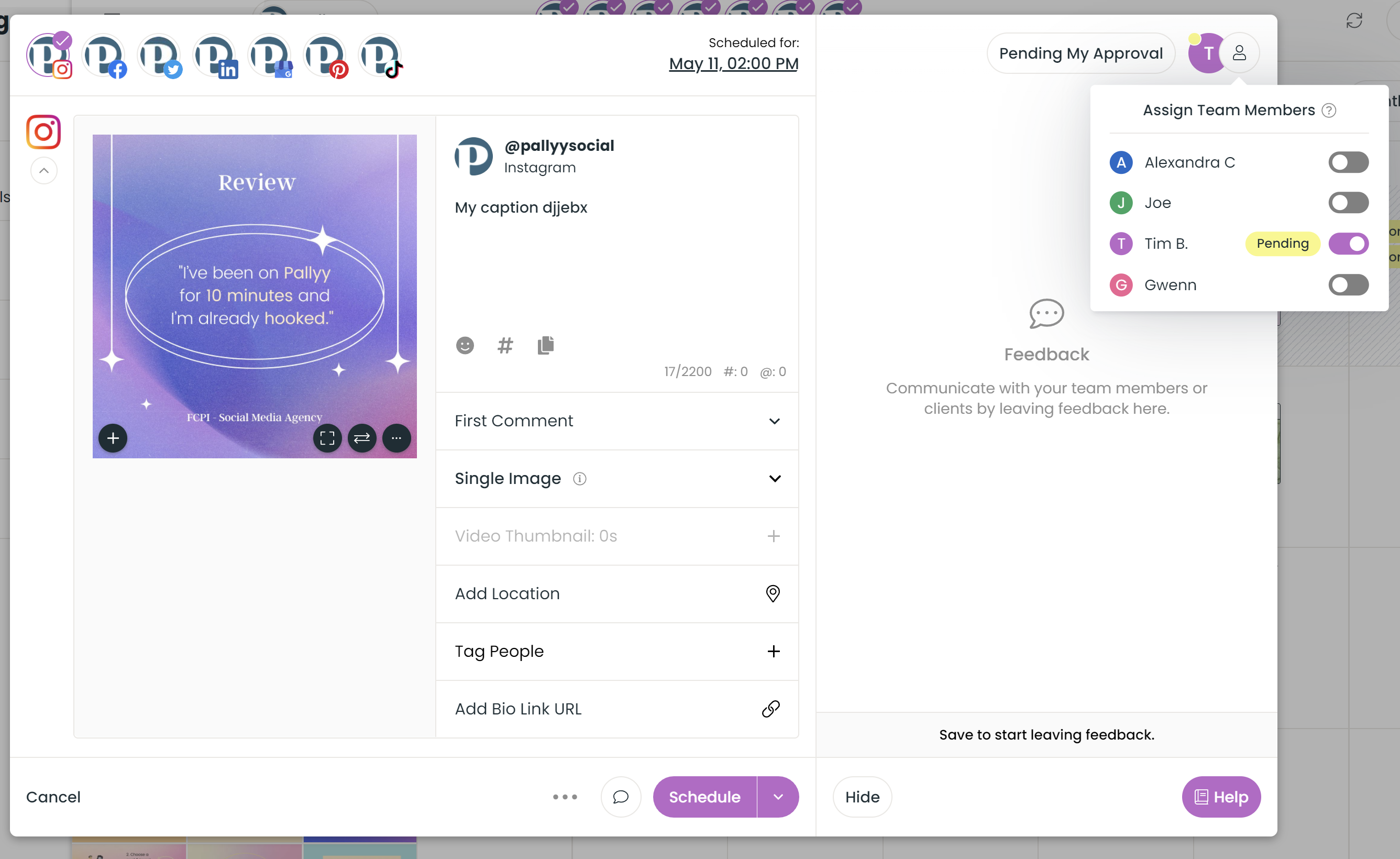
Now you can assign your team members to posts & notes in Pallyy, helping you to make sure the right people action the right posts.
Here's how it works...
1. Open up any post, and click the feedback button to open the feedback section 2. Click the assign users button in the top right 3. Assign your team members from the list
When you assign a user they'll be notified by email & in-app & whenever there's a new comment from your team or clients!
Try it out in your calendar today!
PS. We'll soon be launching a brand new teams workflow section (like monday, trello or airtable but for scheduling) in Pallyy. Want BETA access? Just let us know.